Inbound rules
Inbound rules decide where calls arriving on your numbers go — per DID or per caller, with separate destinations for inside and outside office hours.
Two kinds of rule
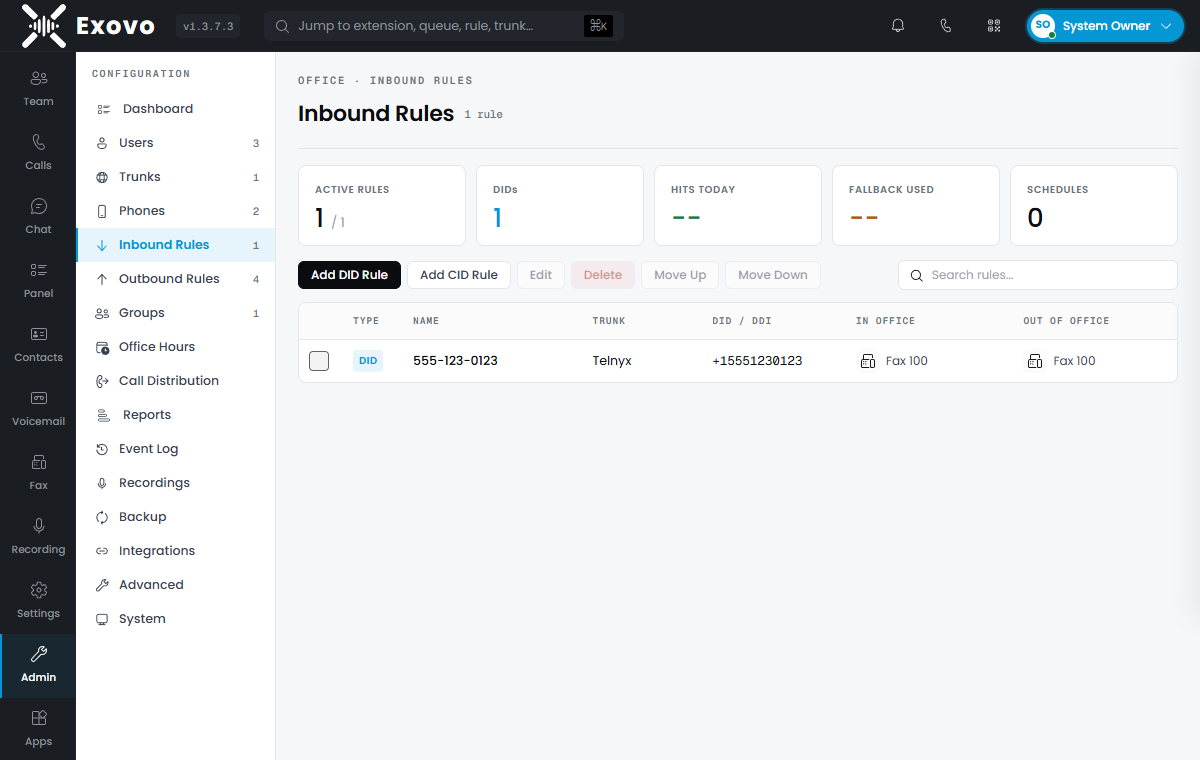
Admin → Inbound Rules has two Add buttons:
- Add DID Rule — matches a specific number. Pick the DID from the dropdown (it lists every number you've added to your trunks, tagged with the trunk name). This is the everyday rule: one DID, one destination.
- Add CID Rule — matches the caller's number instead, exact or wildcarded
(
+1701*matches any caller from that prefix). Use CID rules to give a VIP customer a direct line to their account manager, or to shunt a known nuisance prefix to voicemail.
Destination types
Each rule has two destinations — during office hours and outside office hours — and each can be any of:
| Destination | Behavior |
|---|---|
| Extension | Rings the user (their forwarding rules apply) |
| Ring Group | Rings a group of extensions together or in order |
| Queue | Holds callers for the next available agent |
| IVR | Plays a digital receptionist menu |
| Voicemail | Straight to a user's voicemail box |
| External number | Forwards out over your trunks |
| Fax | Receives as fax and emails the document to the chosen user |
Office-hours based routing
By default a rule follows the system-wide office hours: the in-hours destination applies when you're open, the out-of-hours one when you're closed. Two per-rule options refine that:
- Set up specific office hours for this rule — give this number its own schedule (a support line staffed later than the main office, for example).
- Play holiday prompt when it's a global holiday — holidays defined in office hours take precedence with their announcement.
Rule order and the fallback
Rules are evaluated top-down — use Move Up / Move Down to control priority when multiple rules could match (a specific CID rule above a broad DID rule, for instance). A call that matches no rule falls back to its trunk's default route; if the trunk has none, the call is rejected. The stat strip's Fallback used counter tells you when calls are slipping past your rules.
Number formats
DIDs match in international format (+15551230123), the same format they're stored in on the
trunk. CID masks accept a trailing wildcard (+1555*). If inbound calls aren't matching, compare
the format your provider actually sends (visible in Admin → Reports for a test call) against
the rule.