Ring groups
A ring group rings a set of extensions with a chosen strategy — the simplest way to say "calls for Sales ring these four people."
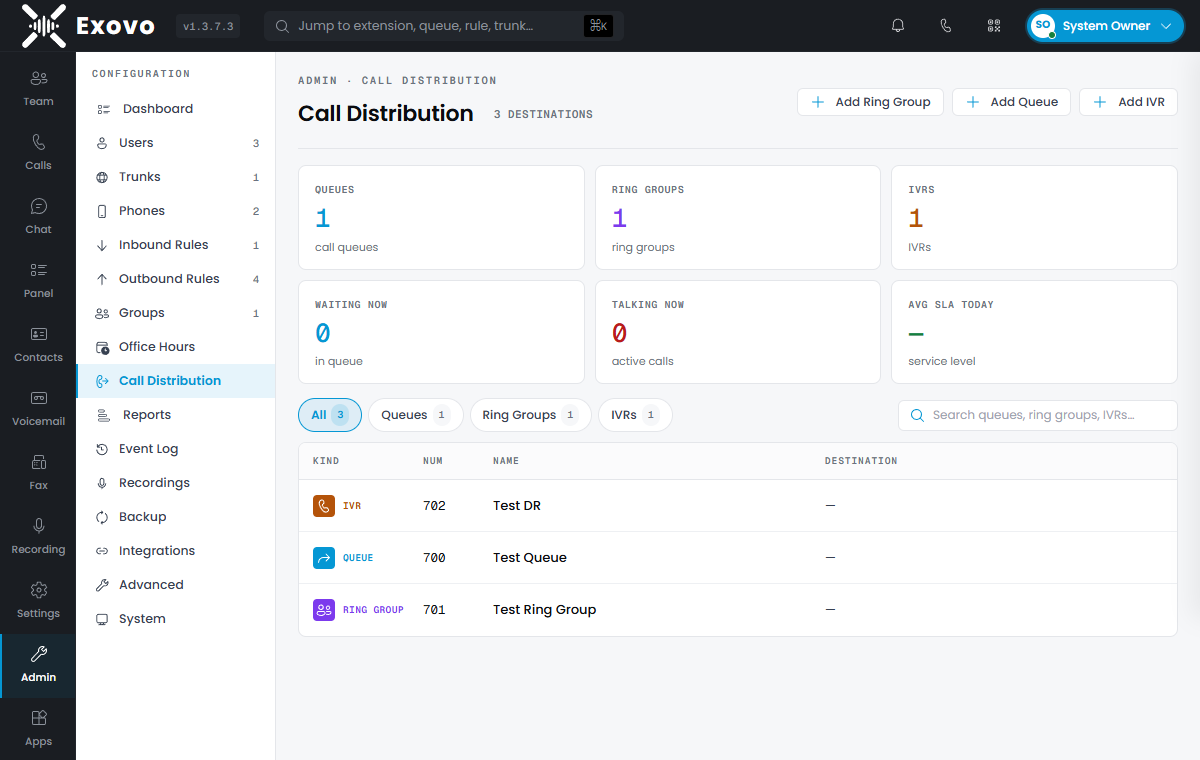
Creating a ring group
Admin → Call Distribution → Add Ring Group. Give it a virtual extension number (callers and rules dial this; fixed once created), a name, and add members on the Users tab — the member list is ordered, and you can drag to reorder for hunt strategies.
Ring strategies
- Ring All — every member rings at once; first to answer wins. Right for small teams where anyone can take the call.
- Hunt — members ring one at a time in list order. Right when there's a preferred pecking order (front desk first, then back office).
- Paging — all members' phones auto-answer on speaker; the caller is heard live. For overhead announcements, not conversations.
Ring time (default 20 seconds, 5-600) bounds the whole attempt before the no-answer destination takes over.
While a group call rings, the web client and the Exovo app show the route it took — via Ring All 802 — so members know how to answer before picking up; call history keeps the same context.
No-answer destinations
When nobody answers within the ring time, the call moves on — to an extension, queue, another ring group, IVR, voicemail or an external number. Leave it unset and unanswered calls simply end, so setting one is almost always right; group voicemail with the greeting emailed to all members (Notifications tab) is a popular choice.
Office hours and ring groups
Ring groups honor office hours with their own overrides for closed, break and holiday periods: accept the call anyway, end it, forward it (optionally after an announcement), or send it to voicemail. This is how one number rings the team by day and goes to the answering service by night without touching the inbound rule.
Ring group or queue?
A ring group is immediate and stateless — calls ring phones, now. If callers should wait when everyone's busy, hear hold music and announcements, and be distributed fairly with agent login/logout, you want a call queue instead.